A home business mailing address without using your home address

Move business mail off your home address. Use a real street address for customer, vendor, and LLC paperwork while managing mail online through PostalBridge.
See available business address locations and pricing.

  • Stop using your home address
  • Real street address for business mail
  • Scans and forwarding online
  • Cleaner customer-facing setup

A real mail center still matters when the business starts at home

PostalBridge connects home-based businesses to authorized partner mail centers that receive business mail, support scan and forwarding requests, and keep the mailing workflow off the kitchen counter.

Choose a real location, complete mailbox verification, and keep customer, vendor, and account mail separate from household mail.

Authorized CMRA partners

Locations are set up to receive mail on behalf of customers.

Reviewed for operational fit

We look for mail centers that can support intake, scans, forwarding, pickup, and recipient handling.

Request handling matters

The mailbox workflow keeps requests, history, and location handling tied together.

PostalBridge partner mail center exterior
VETTED MAIL CENTER

Real partner mail centers support the address and mail-handling workflow behind your digital mailbox.

How PostalBridge works for home businesses

Move business mail off your home address and manage customer, vendor, and paperwork mail online.

Step 1

Choose a business-facing address

Compare live locations, plan limits, and handling options before you use the address on customer or vendor paperwork.

Step 2

Complete mailbox verification

Finish USPS Form 1583 and the required identity steps so the location can receive mail on behalf of the business.

Step 3

Manage business mail online

Review arrivals, request scans, forward originals, and keep the business-mail record separate from household mail.

Stop letting your household mailbox double as the public mailing address for your business.

PostalBridge gives home-based businesses a real street address for routine business mail while keeping mail visibility and handling online.

That means vendor paperwork, invoices, client correspondence, and account notices can move through one business mailbox instead of landing in the middle of home life.

  • Use one business-facing address on invoices, websites, and vendor accounts where appropriate.
  • Keep customer and business mail separate from household mail.
  • Forward originals only when the paper still matters physically.

The result is more privacy and a more professional workflow without office overhead.

Who this works well for

This setup is usually a strong fit when the business is real, the office is your home, and you want the mailing workflow to look more intentional.

Local service businesses

Contractors, cleaners, designers, and solo operators who do not want their residence on everyday customer paperwork.

Side businesses and solo owners

Owners who need one business-facing address for vendor accounts, invoices, and routine operations without renting office space.

Households protecting privacy

Families who want business mail and household mail separated so daily life does not double as the public mailing address.

Everything you need to manage your mail
These are the most common reasons home-based owners move the mailing address off a residence.
Client-facing businesses
Use a business-facing mailing address for proposals, invoices, and routine correspondence instead of publishing a residence address.
Vendor and account mail
Keep invoices, supplier updates, tax paperwork, and service notices in one monitored business mailbox.
Flexible work setups
Run the business from home, a coworking space, or on the road while keeping one mailing address in place.
Privacy-first operations
Reduce how often your residence appears in the ordinary mail flow of the business.

PLANS & PRICING

Choose Your Digital Mailbox Plan
Compare live pricing, billing cadence, recipient limits, and handling options before you choose the mailbox setup that fits home business mailing address.

30-day money-back guarantee

Try PostalBridge risk-free. If it’s not the right fit, cancel within 30 days of your successful signup payment and we’ll refund your original signup payment, excluding pass-through costs like shipping, deposits, and per-use fees.

Learn more
Loading plans…

Set up your digital mailbox in four clear steps

Move business mail off your home address and manage customer, vendor, and paperwork mail online.

Step 1

Choose a business-facing address

Compare live locations, plan limits, and handling options before you use the address on customer or vendor paperwork.

Step 2

Complete mailbox verification

Finish USPS Form 1583 and the required identity steps so the location can receive mail on behalf of the business.

Step 3

Manage business mail online

Review arrivals, request scans, forward originals, and keep the business-mail record separate from household mail.

Step 4

Forward, store, or pick up what matters

Once mail arrives, move originals only when you need them and keep the workflow tied to one dashboard.

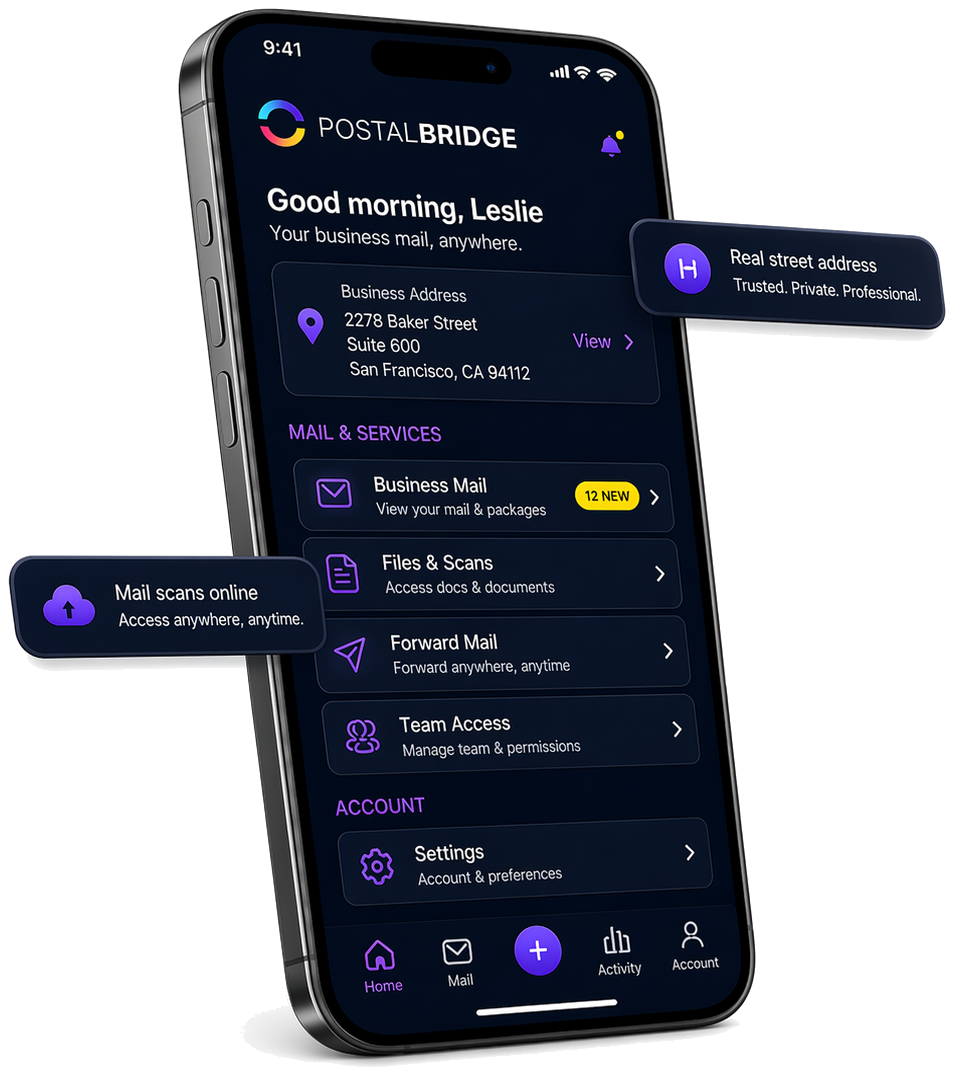
PostalBridge mobile app showing a real street address, business mail, scans, forwarding, and team access

See what arrived, then choose what happens next

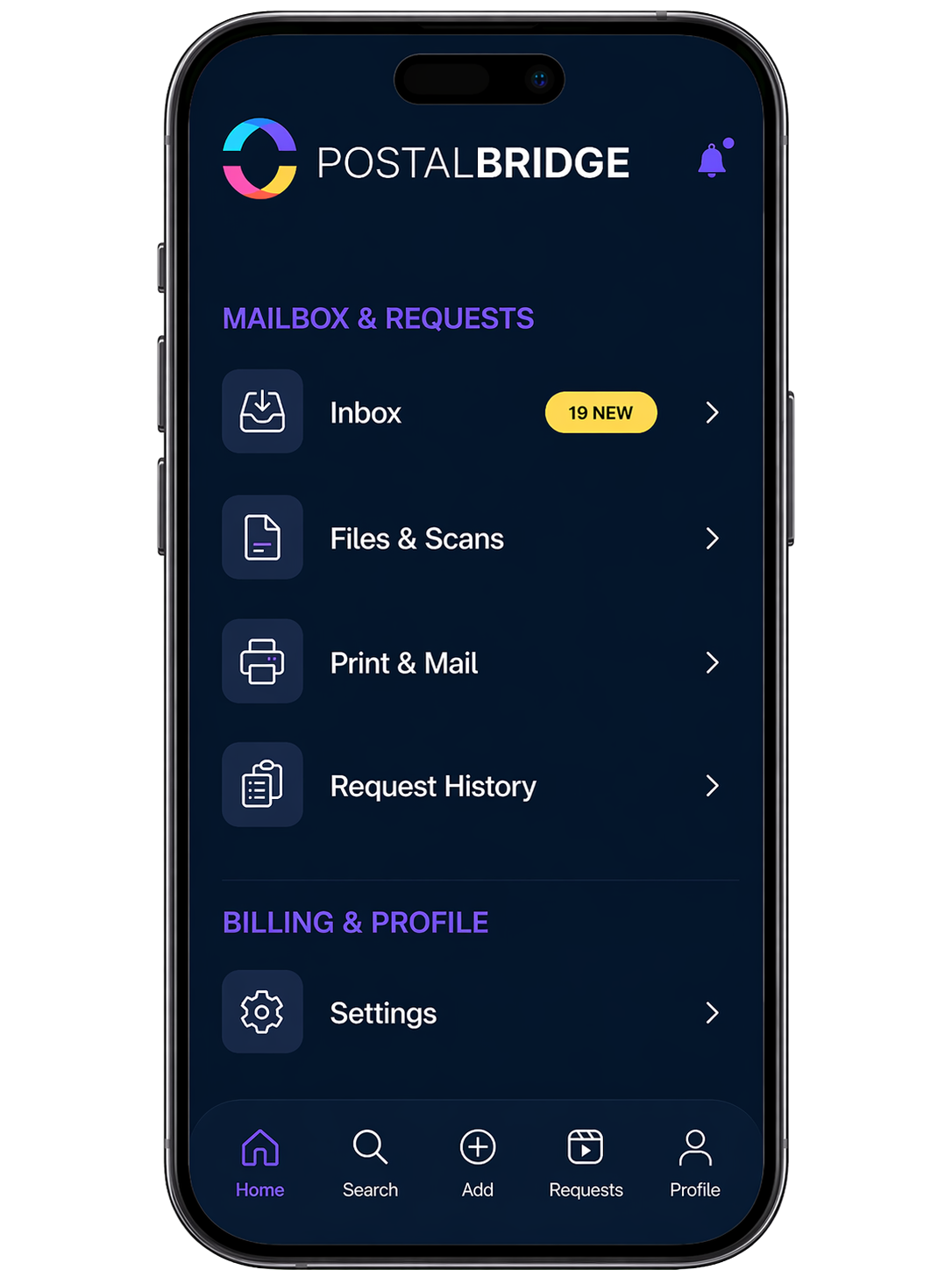
Once your address is active, PostalBridge keeps incoming mail, scan requests, forwarding, and account actions visible in one dashboard so home business mailing address can keep moving without losing context.

Keep your home address private

Use a business mailing address instead of putting your residence on customer and vendor paperwork.

Look more professional

Give customers, vendors, and partners a cleaner business-facing address.

Manage mail online

See incoming mail, request scans, and forward important items when needed.

Home-based business address FAQ

Short answers to the questions owners usually ask first.

Can I stop using my home address for my business?
Yes. That is one of the clearest reasons home-based businesses use PostalBridge in the first place.
Is this a real street address?
Yes. PostalBridge addresses are real street addresses at partner mail centers rather than PO boxes.
Can I still manage mail online?
Yes. You can review envelopes, request scans, forward originals, and keep the mailbox history organized online.
Does a mailing address replace every business licensing requirement?
No. PostalBridge helps with the mailing-address and mail-handling side of the setup, but you should confirm any separate licensing, zoning, or physical-presence rules that apply to your business.

A quick note on home-business requirements

The privacy and workflow benefits are strong, but local licensing or business-registration requirements can still depend on your city, state, or business type.

  • Use the mailbox for routine business mail while checking separately whether your home-based business needs another address for licensing or registration.
  • Pick a location whose plan still fits how often the business receives real mail so privacy does not come at the expense of usability.

Ready to separate business mail from home life?

Choose your address, complete setup online, and start managing business mail through PostalBridge.